

Radiology reporting software
Professional radiology reporting, wherever you work.
WAVEREPORT gives radiologists and their authorised clinic helpers one workflow to create, manage, finalize and deliver radiology reports, on the web and on Android.
- Built for radiologists and clinic helpers
- Final reports are locked
- Helper access is permission-controlled
What it does
From a clinic desk to a finalized report, in one place
Reporting is a hand-off between people. WAVEREPORT keeps that hand-off organised so nothing is retyped or lost between the front desk and the radiologist.
Cases arrive ready to report
Helpers enter patient details, clinical history and history documents. The radiologist sees a clean worklist instead of messages and loose files.
A reporting editor made for speed
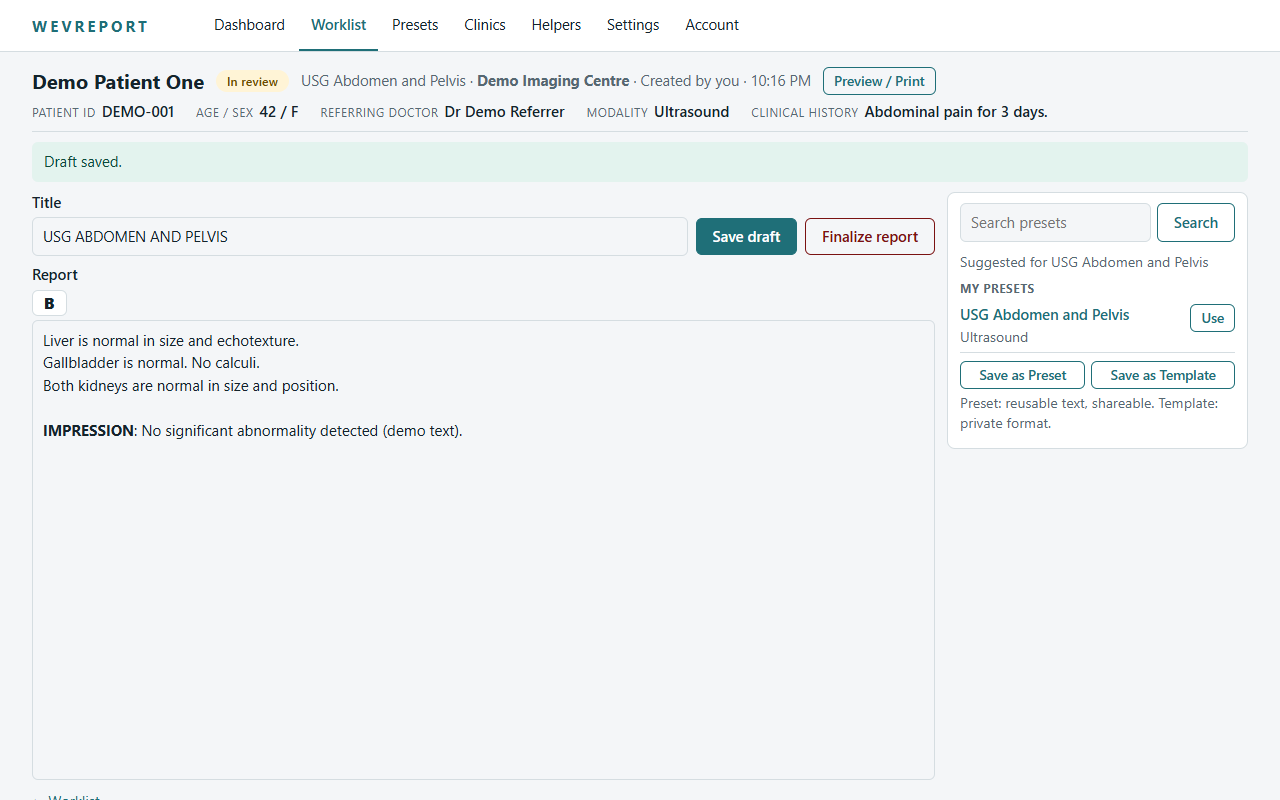
Start from Official Templates or your own presets, search by name, edit the text and format with bold. Drafts are saved as you work.
Reports that stay final
Once finalized, a report is frozen with the doctor details, signature and clinic pad it was issued with. Later profile changes never alter it.
Product preview
See the actual screens
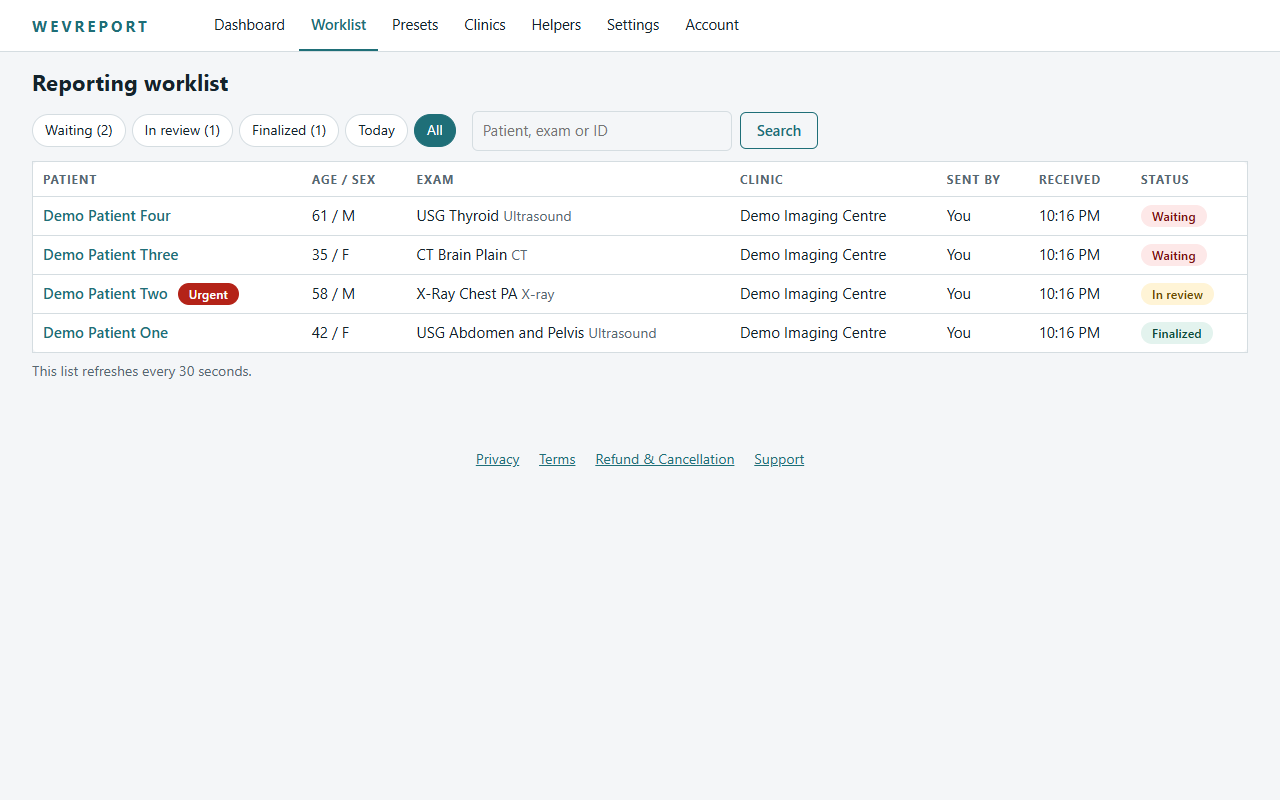
Web screens below use synthetic demo data only. Android screens are added from the current release build.
How WAVEREPORT works
Eight steps from patient to final report
- Clinic or helper adds the patientPatient details, study, clinical history and any permitted history documents are entered.
- The case reaches the radiologistIt appears in the radiologist's worklist as waiting, with an urgent badge if the sender marked it urgent.
- Radiologist opens the caseOpening it moves the case into review and starts the report.
- Choose a template or presetSearch Official Templates and personal presets, or start from a blank report.
- Write and edit the reportEdit the report text, use bold where needed, and save drafts as you go.
- Review the previewThe preview is laid out like the final document, with your chosen signature and clinic pad options.
- FinalizeFinalizing freezes the report. A finalized report cannot be edited.
- Download or shareThe radiologist can download the final PDF. Helpers can view or download only if the radiologist has allowed it.
Two roles, one workflow
Built around who does the work
Report, finalize, control access
- Worklist of cases waiting and in review
- Official Templates and personal presets
- Doctor profile, signature and clinic pad
- Choose what helpers may see of finalized reports
Send complete cases, nothing more
- Add patients and clinical history
- Attach PDF, JPEG or PNG history documents
- Mark a case urgent
- View or download finalized reports only if allowed
Templates
Official Templates, personal presets
Official Templates are a centrally managed catalogue. Personal presets are yours. Both are starting points: the reporting clinician always reviews and finalizes the actual report.
Trust
Careful with patient information
Separate workspaces
Every radiologist account has its own workspace. A case or document from another workspace is simply not found.
Controlled helper access
Helpers see finalized reports only when the radiologist switches on viewing, and download only when downloading is switched on.
PC-PNDT aware
Ultrasound workflows carry statutory duties. WAVEREPORT can support parts of the documentation workflow; the establishment stays responsible.
Start using WAVEREPORT
Create an account on the web, verify your email, then set up your doctor profile.