

For radiologists
Report faster, keep control
Everything a reporting radiologist needs, on the web and on Android.
Reporting
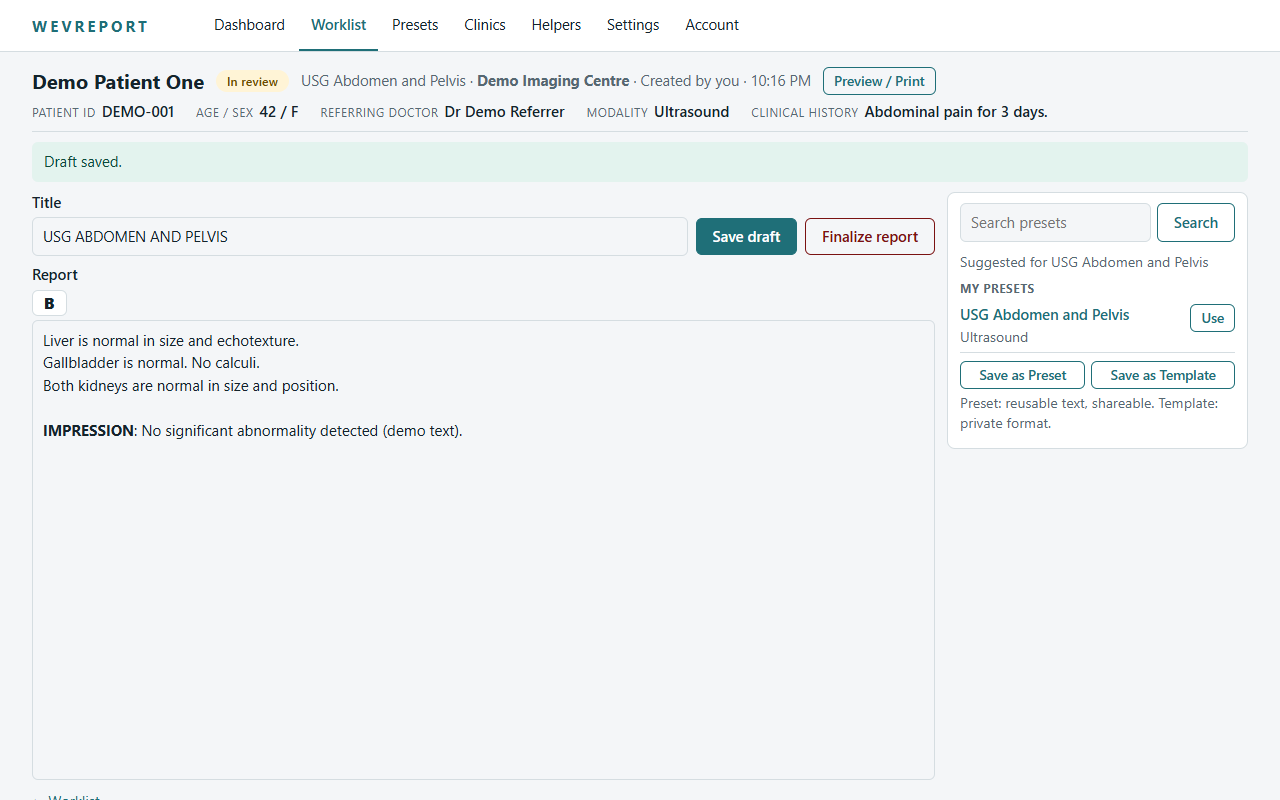
- Patient worklist with status filters and search
- Direct-to-report: click a patient and start reporting
- Reporting editor with bold formatting
- Draft reports saved as you work
- Clinical history and attached history documents beside the editor
- Preview shaped like the final document
- Finalize; the finalized state is locked
- Final PDF download
WAVEREPORT helps with reporting workflow. It does not make diagnoses and does not replace professional medical judgement. The reporting clinician reviews, edits and finalizes every report.
Templates and presets
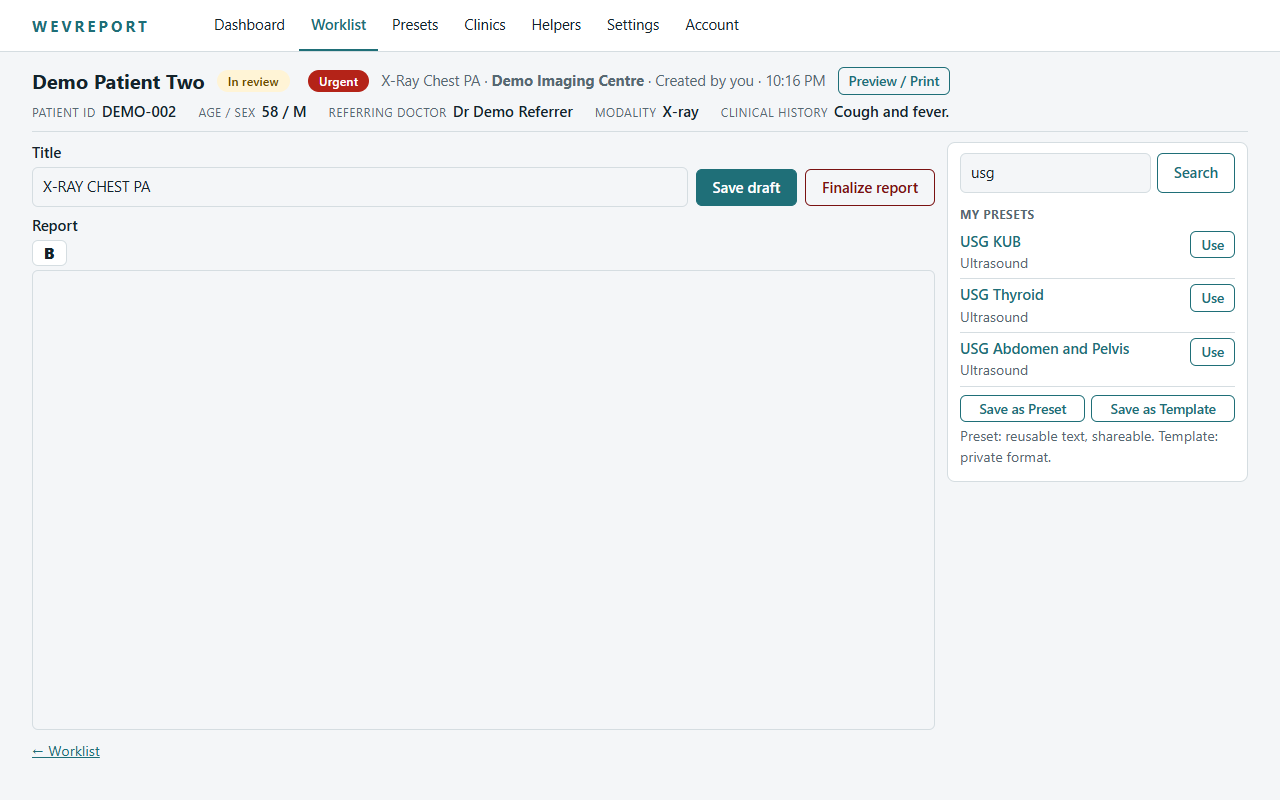
- Official Templates from a managed catalogue
- Personal presets you create and own
- Search by name or keyword
- Insert as a starting point, then edit freely
Your professional identity
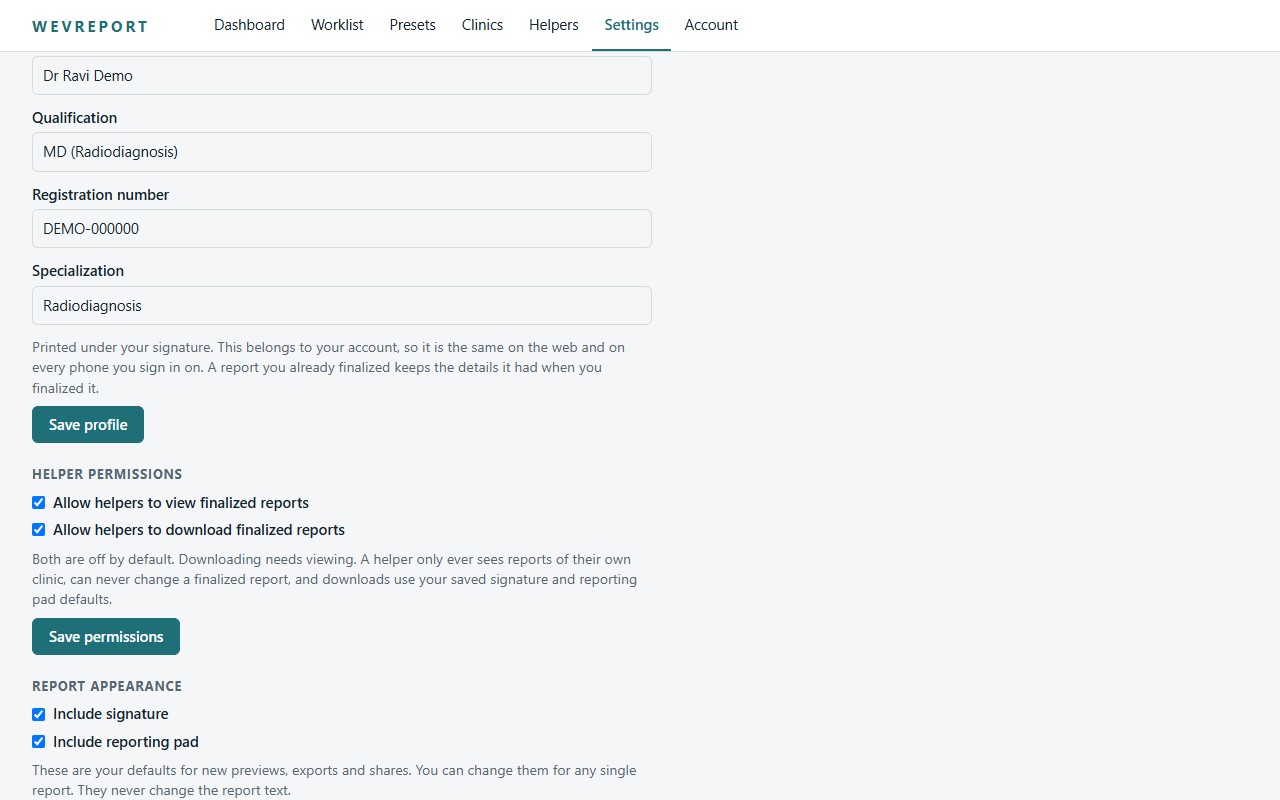
- Doctor profile: name, qualification, registration number, specialization
- Digital signature image
- Clinic pad (letterhead) image
- Choose with or without signature and with or without pad
- Profile, signature and pad belong to your account and follow you across web and Android
Helper access, on your terms
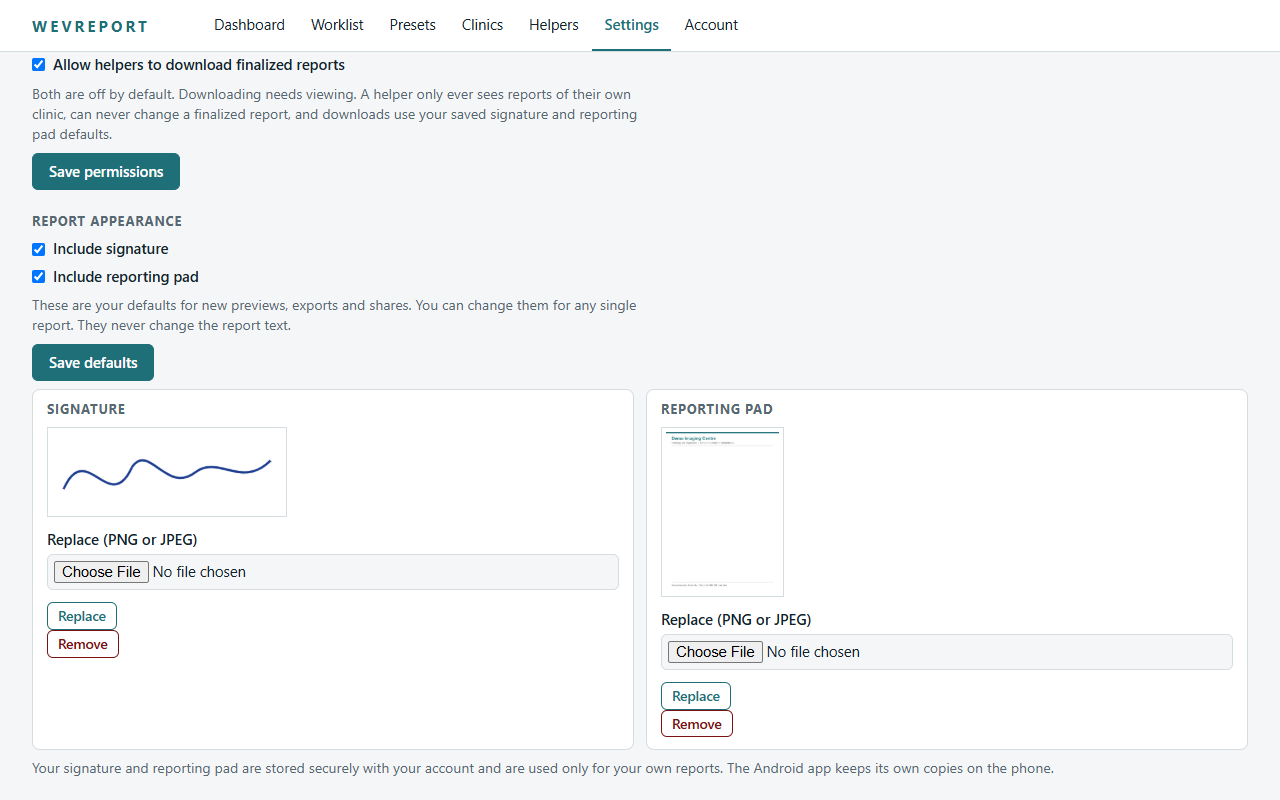
Two switches decide what helpers can do with finalized reports:
- Allow helpers to view finalized reports
- Allow helpers to download finalized reports
Both start off. Download can only be on when view is on. Helpers can never edit a finalized report.